
Payforit Mobile Casinos UK: How Phone Deposits Work
 Available in GB
Payforit uses a mobile number and SMS code for deposits, while withdrawals require another method; limits, billing and bonus terms also matter.
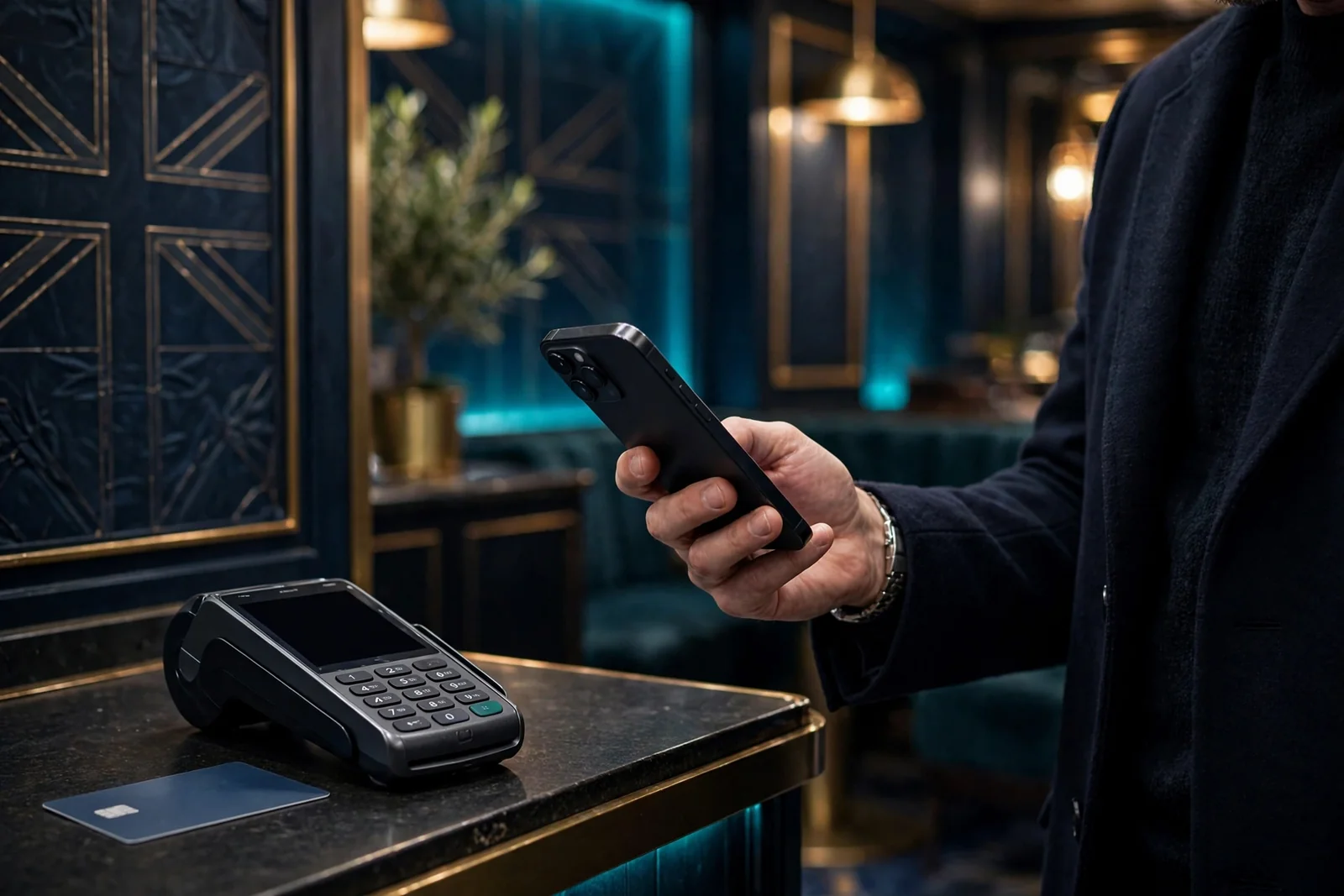
Table of Contents
- Paying by Phone: What Happens at the Cashier
- Payforit Casino Sites and Where to Check
- The Withdrawal Catch: Payforit Only Goes One Way
- Payforit Deposits and Casino Bonuses
- Payforit Compared With Other Ways to Pay
- Will Payforit Show Up on Your Phone Bill?
- Payforit Deposit Limits: The £30 Cap
- Payforit and GamStop: Check the Casino’s Status Separately
- How to Judge a Payforit Casino Without a ‘Best’ List
- Is Payforit Safe to Use on Your Phone?
Paying by Phone: What Happens at the Cashier
Payforit is a pay-by-phone option. At a casino cashier that offers it, the deposit is authorised through your mobile number and an SMS confirmation code. The process is simple on paper, but it is worth paying attention to each screen: you are approving a gambling deposit, not just entering a phone number.
The usual sequence is to open the cashier, choose Payforit as the deposit method, enter your mobile number, receive a text with a confirmation code, then submit that code as instructed. The number is part of the transaction, and the code is the step that confirms it. If you mistype the number, or enter a code incorrectly, do not keep guessing. Check the details shown on screen and follow the cashier’s instructions.
That is the core flow. There is no card number to type into the Payforit form; the mobile number and SMS code do the work of identifying and approving the payment. It is easy to treat the confirmation text as a routine nuisance and tap through it. I have learned not to do that with any payment. Read what the message and casino screen say before submitting the code, so you know which deposit you are confirming.
If you’re looking at Payforit mobile casinos in the UK in 2026, use this list as a starting point and check each site’s payment options before you sign up. The available detail here is payout speed, which can help you assess what to expect when withdrawing.
Payout speed: 1-3 business days x3bet lists a payout speed of 1–3 business days. Check whether its payment options suit you before choosing it for Payforit.
Payout speed: 1-3 business days NightWin lists a payout speed of 1–3 business days. Confirm its payment options directly if you’re considering it for Payforit.
Payout speed: 1-3 business days Amunbet lists a payout speed of 1–3 business days. Check its available payment options to see whether they fit your needs.
Payout speed: 1-3 business days WinBeast lists a payout speed of 1–3 business days. Verify its payment options before relying on it for Payforit.
Payout speed: 1-3 business days Jetsetspins lists a payout speed of 1–3 business days. Check directly which payment options are available to you.
Payout speed: 1-3 business days Chanze lists a payout speed of 1–3 business days. Confirm its payment options if you’re assessing it for Payforit.
Payout speed: 1-3 business days EvoSpin lists a payout speed of 1–3 business days. Check its payment options directly before deciding whether it suits you.
Payout speed: 1-3 business days SpinFormula lists a payout speed of 1–3 business days. Verify which payment options it offers if you’re considering Payforit.
Payout speed: 1-3 business days Dieselwin lists a payout speed of 1–3 business days. Check directly whether its available payment options meet your needs.
Payout speed: 1-3 business days Revery Play lists a payout speed of 1–3 business days. Confirm its payment options before choosing it for Payforit.
The method is generally intended for people playing on a mobile device. That makes practical sense: you need access to the phone number being used and to the text message sent to it. If you are sitting at a desktop computer, you may still have your phone beside you, but Payforit is generally reserved for mobile players rather than being a universal cashier option for every device.
A phone number by itself is not the whole transaction. The SMS step matters. If you cannot receive the text, cannot access the phone associated with the number, or are trying to enter a number that is not yours to use, you cannot complete the stated confirmation flow as intended. Do not try to work around that by submitting someone else’s code or number. A payment should be confirmed by the person responsible for the account and the phone being used.
The exact appearance of the cashier can differ between operators. One may make Payforit visible alongside other deposit choices; another may present its payment options differently. The important thing is the sequence, not the button design: select Payforit, provide the mobile number, receive the code, and submit it to authorise the deposit. If the cashier does not show Payforit, there is no reason to assume that a phone payment can be started by entering a number elsewhere on the site.


I would also avoid treating the text as a mere login code. It is tied to approving a deposit. Take a moment to match the amount shown in the casino cashier with what you expect to confirm, then submit the code only when the details make sense. If something on screen is unclear, stop and check the operator’s instructions rather than guessing. A small pause is cheaper than a mistaken tap.
This method can feel more direct than filling in a conventional payment form because the phone is central to the approval. But “direct” does not mean that every casino supports it, or that every player can use it from any device. Availability depends on what the cashier offers, while the mobile-number and SMS steps explain why Payforit is mainly associated with mobile play. Check the options displayed in your own account instead of relying on an old description of a casino’s payments.
There is one other distinction worth keeping clear: Payforit is the payment option, while the casino cashier is where you begin the transaction. You do not start by sending a text to a number found elsewhere or by replying to an unsolicited message. Select the method in the cashier and use the confirmation process presented there. That keeps the deposit connected to the account you are actually using.
The first time I saw a phone-payment option, the familiar SMS made it feel almost too casual. It is still a real-money transaction. I now treat the code as the final authorisation step, not as a formality to clear out of the way. Check the number, read the confirmation, and submit only when you are sure you mean to proceed. Slow down first.
Payforit Deposit Process
Open the casino cashier and choose Payforit as your deposit method.
Provide your mobile number as requested in the payment form.
Receive the confirmation code via text message and submit it on the casino screen to authorise the deposit.
Payforit Casino Sites and Where to Check
A casino can mention Payforit on an old payments page and still leave it out of its current cashier. That distinction matters. Payment options change, and a general page may not reflect what is available to your account today. I would treat the cashier you can actually open as the useful check, not a logo, a search result or a list copied from somewhere else.
Sign in to the casino’s website or app, open the cashier and choose the deposit area. Look for Payforit among the methods offered to you. If it is not there, do not assume you can make it appear by switching devices or relying on an old guide: the operator’s live options are what count. Availability can depend on the operator’s current arrangements and the account, so a method shown in one place is not proof it will be shown to every player.
There are still some operator names associated with Payforit. A specialist review has reported it in the cashiers at Kwiff, NetBet, JackpotJoy and Virgin Games. Treat that as a pointer for where you might check, not a current guarantee or a recommendation. A review can become outdated, and the decisive question is whether Payforit appears in the cashier when you are logged in. No logo can settle that for you.
Check the operator, not just the payment label
Before putting money into an account, confirm that the site is a legal option for players in Great Britain. Remote gambling operators serving this market need a UKGC licence; a payment method being listed does not establish that status. Check the operator’s own licence information and the Gambling Commission’s public register. If the site’s identity or licence details do not match, stop and resolve that before using the cashier.

There is another practical reason to use the account itself for the check: a payment page can describe methods in broad terms, while the cashier shows what the operator currently makes available to you. If the cashier is unclear, contact customer support and ask whether Payforit is currently enabled for your account. Keep the answer, but still check the cashier again before depositing. It is a small bit of friction that can save a muddled payment attempt.
I have learned not to treat “available” as a complete description. It tells you only that a method may be offered; it does not tell you the conditions attached to your account. Before confirming anything, read the cashier’s current information on the minimum deposit, transaction maximum and any fee. Check the financial-limit controls there too. New customers should be invited to consider a financial limit before their first deposit, and the account should keep those controls accessible afterwards. Set one you can live with before you start. Easy to overlook.
Payforit may be shown alongside other deposit methods, but do not assume every casino offers the same selection. Nor should a third-party list be treated as proof that a named operator still accepts it. A “best” or “top” label is not evidence of current availability; it is an opinion, and it can outlast the cashier details it was based on. I would rather check one operator carefully than rely on a neat-looking list that cannot show what your account will display.
- Check the live cashier for Payforit availability
- Verify the operator’s UKGC licence
- Set a financial limit before your first deposit
- Contact customer support for clarity on account options
- Rely on old payment pages or logo lists
- Assume a method is available based on third-party guides
- Guess if the cashier instructions are unclear
- Deposit based on a “best casino” label
A sensible check is straightforward: confirm the operator’s identity and UKGC licence, sign in, open the live cashier and look for Payforit. Read the terms presented there, including the amount accepted, any fee and the account’s financial-limit options. If the method is absent or the terms are confusing, ask the operator before proceeding instead of guessing. Do not deposit just because an old page says the option exists.
Availability is only one detail to verify, and it can change without warning. For the decision in front of you, the current cashier is the clearest place to start.
The Withdrawal Catch: Payforit Only Goes One Way
Payforit can put money into a casino account, but it cannot send casino funds back to you. That is the catch to understand before treating it like a complete payment option. If you win, you will need to use a separate withdrawal route offered by the operator.
I used to look at the deposit button first and assume I could sort out the rest later. That is the wrong order. Before putting money in, check the cashier or your account’s payment area to see which withdrawal methods are actually available to you. The options shown can depend on the operator, your account and the method you intend to use; a payment logo on a general information page is not confirmation that it will work for your particular payout.


A specialist review also advises checking the available payout route, any unfinished identity checks and the operator’s current terms before depositing. That is sensible groundwork, not paperwork to leave until the moment you want to cash out. If the casino needs documents to verify your identity, find out what remains outstanding and follow the operator’s instructions. A pending check can affect whether a withdrawal can proceed.
At UK-licensed casinos, the cashier may offer withdrawals to a debit card, a bank account, PayPal, or an e-wallet such as Skrill or Neteller. Those are possible routes, not a promise that every one will appear at every casino. Check the live options for your account, and make sure the details you provide match the account holder’s information and currency. A route that is available to someone else may not be available to you.
Payforit itself is not a withdrawal choice. If you funded your balance that way, you should be ready to provide a different verified payment source for any payout, such as bank details or an eligible e-wallet. Do not assume you can simply reverse the phone payment. You cannot use Payforit to collect winnings.
There can also be a mismatch between what you used to deposit and what the casino accepts for withdrawals. Some non-UK casinos require withdrawals to go back through the same method used for deposits, but Payforit cannot carry the money out. That makes it especially important not to infer the payout rules from the deposit screen. Read the current terms and ask the operator how its rules apply to your account before you commit funds.
No Withdrawals
Payforit is a deposit-only method; you cannot use it to withdraw winnings or reverse a phone payment.
Withdrawal conditions are not fixed across operators. The cashier is where to confirm the methods, any minimum or maximum, fees and processing information that apply at the time. If a balance is below an operator’s minimum withdrawal threshold, a request may be refused; if a request exceeds a maximum, the operator may handle it in parts. Those details can change, so check rather than relying on an old review or someone else’s experience.
Keep the decision simple: identify a usable withdrawal route, confirm your account information and currency match its requirements, and clear any requested identity checks. Then read the current operator terms. If you cannot see a payout route you can use, pause before depositing through a Payforit casino site. It is easier to find that out before your money is in the account.
Payforit Deposits and Casino Bonuses
A Payforit deposit and a casino promotion are separate things. Choosing Payforit at the cashier does not, by itself, tell you whether a welcome offer will be added or whether a later promotion will count your payment. The deciding detail is the offer’s own eligibility wording.
A specialist review reports that Payforit payments are excluded from welcome bonuses and other promotions at many UK casinos. That is a reason to check before depositing, not a guarantee that every operator applies the same rule. Offers and their terms can change, and a promotion that appears on a casino’s page may still restrict which payment methods qualify.

I used to focus on the headline offer and leave the small print until afterwards. That is the wrong order. Look for the promotion’s payment-method conditions and any wording that excludes pay-by-mobile deposits. If the terms are unclear, ask the operator to confirm whether a Payforit deposit qualifies before you accept the offer or fund your account. Keep the answer with the offer terms you reviewed; relying on a banner alone leaves room for a frustrating disagreement.
The same check matters for a Payforit casino welcome bonus. An offer can be visible to new customers while the chosen deposit method is ineligible. “Welcome” describes who the promotion is aimed at, not necessarily which payments count. Nor does the phrase “deposit bonus” mean every deposit method is included.
Searches for a Payforit casino no-deposit bonus or a no-minimum-deposit offer can blur two different questions: whether a promotion exists, and whether you can claim it after making a Payforit payment. Read the offer conditions rather than assuming that a no-deposit promotion depends on Payforit at all. If a bonus is described as requiring no deposit, check its own eligibility and claim rules; the payment method may have no role in claiming it.
Likewise, a low-deposit offer is not proof that a Payforit payment will qualify. The amount and the payment method are separate conditions, and the current promotion terms need to settle both. Don’t deposit simply because the advertised offer looks compatible.
If bonus eligibility is important to you, decide that before choosing how to pay. If the terms exclude Payforit, you can reconsider whether the offer matters to you, or whether you would rather deposit without relying on a promotion. I’d rather know that upfront than find out after the money has moved. Check the small print first.
Bonus Eligibility
Many UK casinos exclude Payforit payments from welcome bonuses and other promotions, so check the eligibility wording before depositing.
Payforit Compared With Other Ways to Pay
Payforit is one option for funding a casino account, not a payment method every operator has to offer. When I compare it with alternatives, I start with the cashier rather than assuming a familiar name will be there. Availability can differ between casinos, and payment options can change.
A specialist review describes Boku, e-wallets and Paysafecard as alternatives to Payforit. They do not all work in the same way. Boku is another pay-by-mobile option, while Paysafecard is a prepaid payment method. An e-wallet means using an account with a payment provider rather than charging the deposit to your mobile account. That distinction matters if you are choosing based on how you want to fund the account, not just on which logo looks familiar.
Boku has its own confirmation step: you must approve the transaction by SMS before the funds move. The phone credit also needs to cover the deposit and any network fee. A mobile network may apply a processing charge, and the amount depends on the network and tariff. So it is not safe to assume that switching from Payforit to Boku removes every phone-payment cost. Check the terms shown for the specific transaction.
Debit cards are another option to look for. A specialist review reports that UK casino debit-card deposits are free and more widely accepted than Payforit, but that is not a promise about every operator or account. Use the live cashier to see whether your card is offered and what conditions apply. Credit cards are not an alternative for gambling deposits in Great Britain: UK rules bar licensed remote operators from taking them, including through a money service business.


The trade-off is practical. Payforit may suit someone who wants to use a mobile account, while a card, e-wallet or prepaid voucher may suit someone who prefers a different funding route. None is automatically better. Before depositing, compare the options actually displayed and check the minimum deposit, maximum transaction value and any fees. Also review the financial-limit controls on your account. New customers must be prompted to consider setting a financial limit before their first deposit, and the account controls should remain available afterwards. I would set that limit before choosing a payment button. Easier to pause.
The cashier is the useful comparison point—not a general list of methods copied from somewhere else. If Paysafecard, Boku or an e-wallet is absent, do not assume the casino accepts it just because another operator does. Equally, seeing Payforit does not tell you whether another method would fit your needs better. Check the available choices and their terms at the casino you are considering, then decide with the actual options in front of you.
Will Payforit Show Up on Your Phone Bill?
If you use Payforit at a casino, the deposit is charged through your mobile account. Where you see the cost depends on whether your phone is on a monthly contract or pay as you go. It is not a separate casino charge on a bank card: the amount is added to your phone bill or taken from prepaid credit.
Billing Difference
Monthly contract users will see the charge on a future phone bill, while pay-as-you-go users will have the amount deducted from their prepaid credit balance.
With a monthly contract, a Payforit deposit is added to a future phone bill. So the payment may not leave your bank account at the moment you make it; instead, it appears as part of what you owe your mobile provider later. I’d check the bill and your provider account rather than assume the casino transaction will show up in the same place as a card payment.
On pay as you go, the deposit comes out of your prepaid balance. That means your available phone credit is reduced by the amount charged. If you keep a close eye on that balance, remember that a casino deposit uses credit you may have set aside for other phone use. No mystery, just a different pocket.
The practical distinction is simple: contract phone, charge added to a later bill; pay-as-you-go phone, deduction from prepaid credit. In either case, the payment is tied to the mobile account used for Payforit. If you share a phone plan or someone else manages the account, it is worth understanding who can see the charge and who is responsible for paying it.
I used to treat a phone payment as if it were somehow separate from spending. It isn’t. A charge added to a bill still needs paying, and prepaid credit is still money you have already put into the account. Keeping the casino amount in view can help avoid a surprise when you review your phone costs.

Before confirming any payment, make sure you know which mobile account will be charged and whether the amount will appear on a future bill or reduce your prepaid balance. If the billing arrangement is unclear, check with your mobile provider before using Payforit. The casino cashier can show the payment option, but your phone account determines how the charge is collected.
That is the part I would not gloss over: Payforit changes where the money is collected, not whether you have spent it. Treat the deposit as part of your phone spending, and keep track of it alongside the rest of your account costs.
Payforit Deposit Limits: The £30 Cap
Payforit is a small-deposit option, not a way to move a large amount into a casino balance in one go. A specialist review gives the typical minimum as £3–5 and the maximum as £30, while also describing £30 as the per-transaction cap attributed to the Phone-paid Services Authority. Treat the minimum as an operator-specific figure to verify: it can differ between cashiers and may change.
That ceiling applies to each transaction. Don’t assume it tells you how many deposits an operator will allow, or what your account’s own controls permit. The cashier is where those conditions become concrete. Before you confirm, check the minimum and maximum shown for Payforit, whether any fee applies, and what financial-limit settings are available on your account.
Payforit Deposit Check
- Check the minimum and maximum limits in the live cashier
- Verify if any transaction fees apply
- Set a personal financial limit on your account
- Confirm the amount fits both the cashier terms and your limit
The small print matters. A deposit that fits within the transaction cap can still be blocked by an account limit or fail to meet the operator’s minimum. If the amount displayed does not match what you expected, stop and check the terms rather than tapping through on autopilot. I’ve learned the unglamorous lesson: read the number twice.
There is also a responsible-gambling prompt to take seriously. New remote customers must be asked to consider setting a financial limit before making their first deposit. Account-level limit facilities must remain accessible afterwards, so you should be able to find and use them beyond that initial prompt. Set a limit you can afford and keep the Payforit cap separate in your head: one is the maximum for a transaction, the other is a control on your account.
A quick check before paying:
- Look at the Payforit minimum and maximum displayed in the live cashier.
- Check whether the cashier lists a fee.
- Find the account’s financial-limit controls and consider setting a limit before your first deposit.
- Make sure the amount you intend to pay fits both the cashier’s terms and your own limit.
The £30 figure is a ceiling, not a suggested deposit. The lower end of the range is not a promise that every Payforit casino will accept that amount either. Use the figures as a prompt to inspect the current cashier, not as a substitute for it. If the live screen gives different terms, rely on what it shows before proceeding.
Payforit and GamStop: Check the Casino’s Status Separately
Seeing Payforit in a casino cashier tells you that the payment option is offered there; it does not tell you whether the casino is part of GamStop. They are separate things. I would not treat a Payforit listing as evidence that a site is outside the scheme, either.
If you are looking for a Payforit casino that is not on GamStop, check the operator’s status independently before opening an account. For customers in Great Britain, a casino offering real-money gambling must hold a current UKGC licence. Check the licence against the operator’s actual name and website, rather than relying on a payment-method label or a promotional claim. A UKGC licence is a regulatory check; it does not, by itself, confirm a particular GamStop status.
That distinction matters if you have self-excluded. I have made enough rushed decisions around gambling to know how easy it is to treat a new payment option as a fresh start. It isn’t. Payforit is a way to deposit, not a way to cancel or bypass a self-exclusion decision. If you have chosen to exclude yourself, don’t use a search for a non-GamStop Payforit casino as a route back to gambling. Step away and use the support available to you.
For anyone who is not self-excluded and is checking an operator, keep the checks separate: verify the UKGC licence, establish the casino’s GamStop status from reliable operator information, then look at the cashier only if you still intend to deposit. A specialist review can be a starting point, but its description may no longer match the live account. The operator’s current terms and account information are the better place to confirm details.
Before a first deposit, a remote operator must prompt a new customer to consider setting a financial limit. Take that prompt seriously; it is not just another box to click past. Check the cashier for its financial-limit controls and the current deposit conditions, and make sure you can still reach the account controls afterwards. Set a limit you can live with before money goes in. No need to test your judgement after the fact.
Final Safety Checks
- Verify the casino’s UKGC licence independently
- Treat Payforit as a payment tool, not a way to bypass GamStop
- Establish your self-exclusion status before opening an account
- Use account-level financial controls to manage spending
If the site’s licence or self-exclusion information is unclear, do not let Payforit’s presence settle the question. Payment support and player protections are different checks, and uncertainty about one should not be papered over by the other.
How to Judge a Payforit Casino Without a ‘Best’ List
I wouldn’t call any operator the best Payforit casino just because its name appears on a list. What matters is whether the payment suits your account and whether the terms are clear before you commit. I’ve learned to check the boring bits first.
Start in the casino’s current cashier while signed in. Confirm that Payforit is actually offered to you, then read the displayed minimum deposit, maximum transaction value and any fee. These details can vary by operator and payment method, so an old review or a page promising “easy deposits” isn’t enough. Check the cashier itself.
Look at the account’s financial-limit controls, too. New customers must be prompted to consider setting a limit before their first deposit, and the controls should remain accessible afterwards. I’d set a limit I can live with before adding money, rather than trying to make that decision while caught up in a session. Less room for regret.
Then check how you would get funds out if you later had a balance to withdraw. Payforit is a deposit method, not a route for cashing out, so identify a payout option available to your account before depositing. A specialist review advises checking whether a deposit method can also be used for withdrawals; that point is worth verifying directly with the operator, because payment arrangements can change.
The practical test is simple: does the live cashier show Payforit, are the transaction terms acceptable, and is there a suitable, verified payout route for your account? If one answer is unclear, pause and ask the operator rather than relying on a “best Payforit casinos” claim. A neat label proves little. Check the details.

Is Payforit Safe to Use on Your Phone?
Payforit can be a straightforward way to fund a casino account, but I wouldn’t treat an SMS prompt as a reason to tap through without checking. The phone confirms the payment; it does not tell you whether the casino is the right place to play.
Before you start, check that the casino holds a current UKGC licence. Then read the payment screen carefully. The process involves choosing Payforit, entering your mobile number, receiving a text with a confirmation code and submitting it. Make sure the message and the page relate to the deposit you intended to make. If the amount or details don’t match, stop rather than entering the code.
That pause matters because the deposit is charged either to a future monthly phone bill or deducted from Pay as you Go credit. Check which applies to your phone and that you’re comfortable with the charge before confirming. I’ve learned not to confuse “simple” with “no need to look”. A text is still authorisation.

New customers should be invited to consider a financial limit before making their first deposit. Set one that fits your budget, and check that you can still access your account’s limit controls later. If the casino doesn’t make those controls clear, don’t rush to deposit.
Searching for a Vodafone Payforit casino, or seeing Payforit mentioned alongside a network name, doesn’t prove that a particular casino accepts it. Network billing and casino cashier support are separate things: check the casino’s own current payment screen for availability, then assess the transaction details before you confirm. Don’t rely on an old mention or an unfamiliar message.
No method removes the need to check. Read the prompt, verify the charge and use only a casino whose UKGC status you have confirmed. A few seconds’ pause.
Do UK casinos offer welcome bonuses for Payforit deposits?
Most UK casinos exclude Payforit deposits from welcome bonuses and other promotions.
What is the current minimum deposit?
Payforit deposits typically start at £3–5. Check the cashier for the minimum currently available to your account.
Are there fees for using Boku at online casinos?
Your mobile network may charge a processing fee for Boku, and the amount depends on your network and tariff. Make sure your phone credit covers both the deposit and any fee.
Which payment types are listed?
Listed options include Visa, Mastercard, Skrill, Neteller, PaysafeCard and several major cryptocurrencies. Payforit, Boku and debit cards are also mentioned as payment options.
Published by the Tenobet Casino 2 team.